Learn how to import a grayscale heightmap image into worldpainter, what image file types to use and how to convert incompatible ones
Details
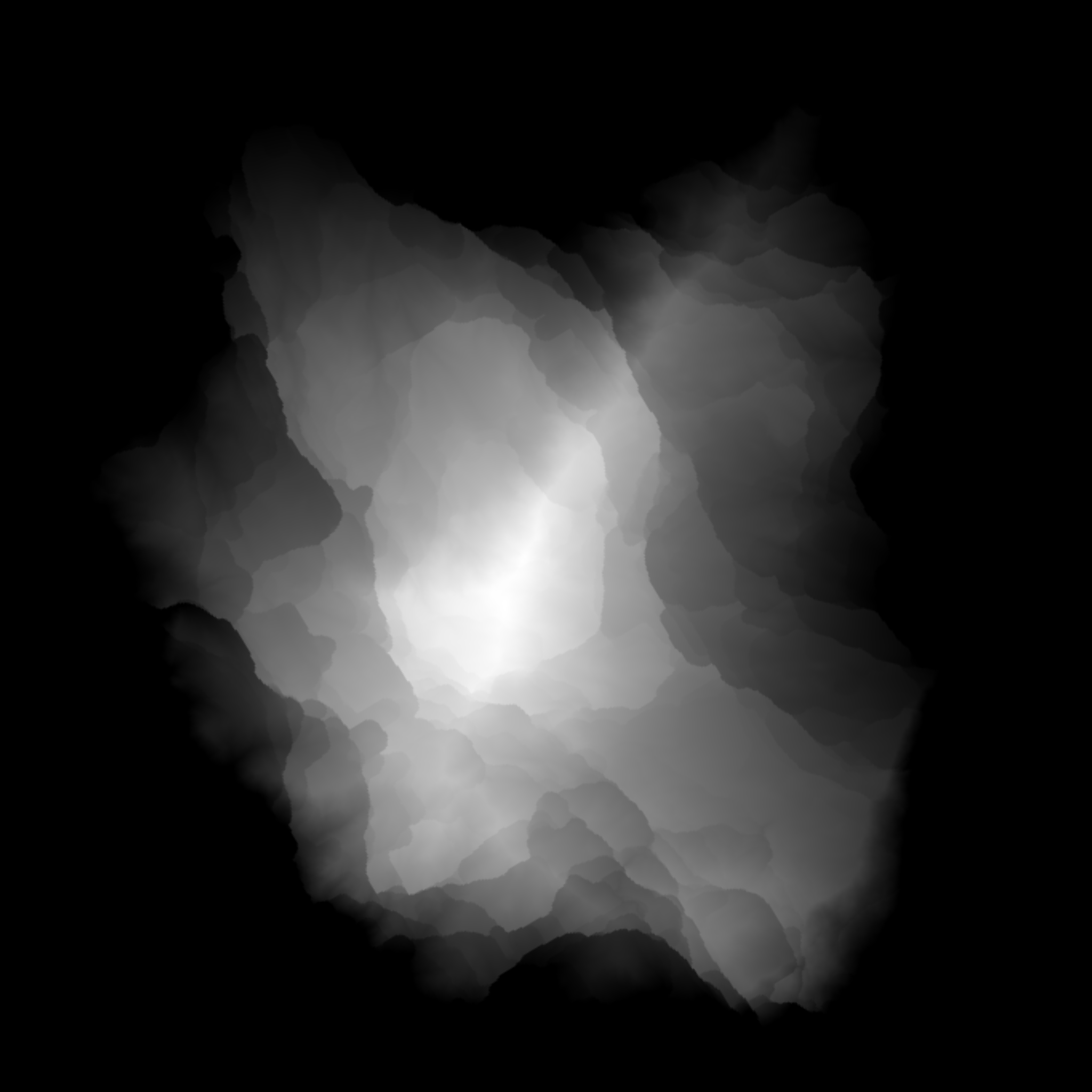
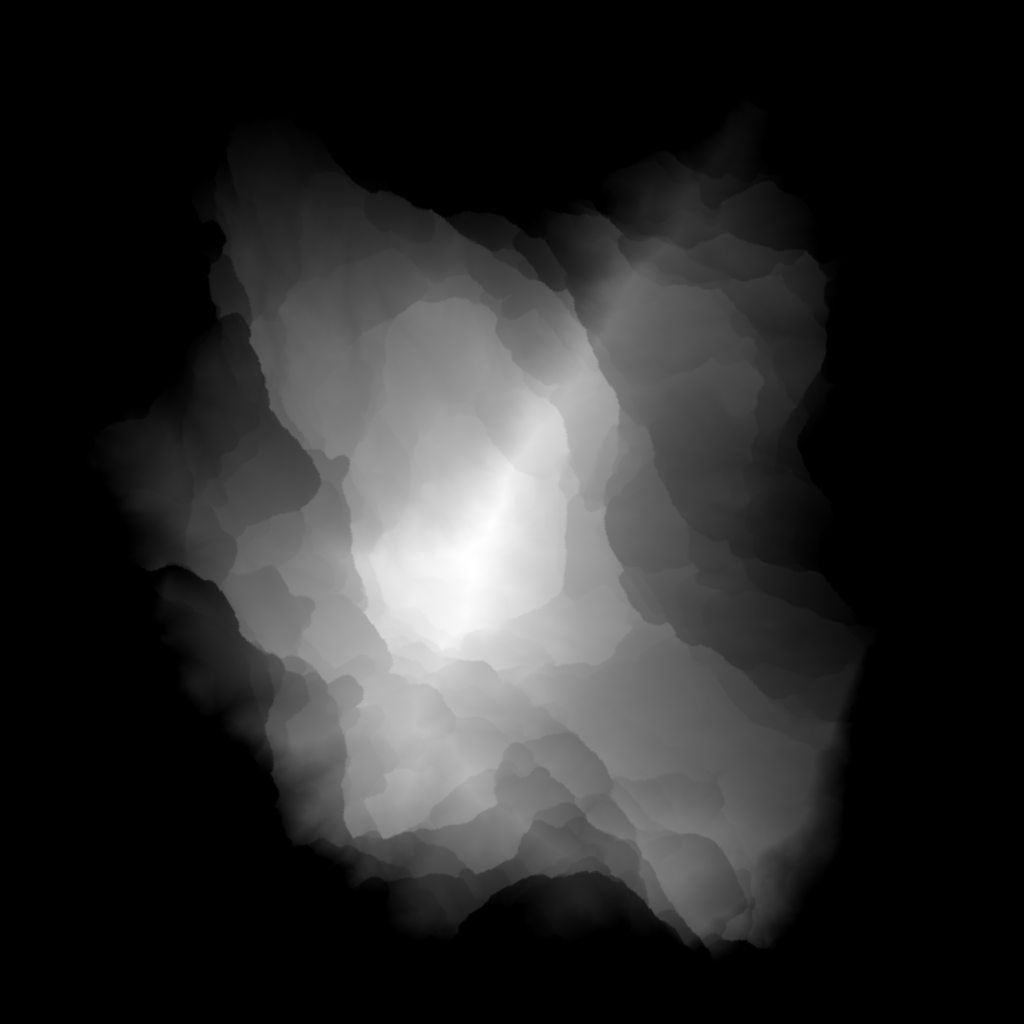
In worldpainter you can either sculpt the landscape with brushes by hand, or you import an existing heightmap from an image. These images are grayscale images, where the color value corresponds to the height of the pixels position. Bright means high, dark means low:
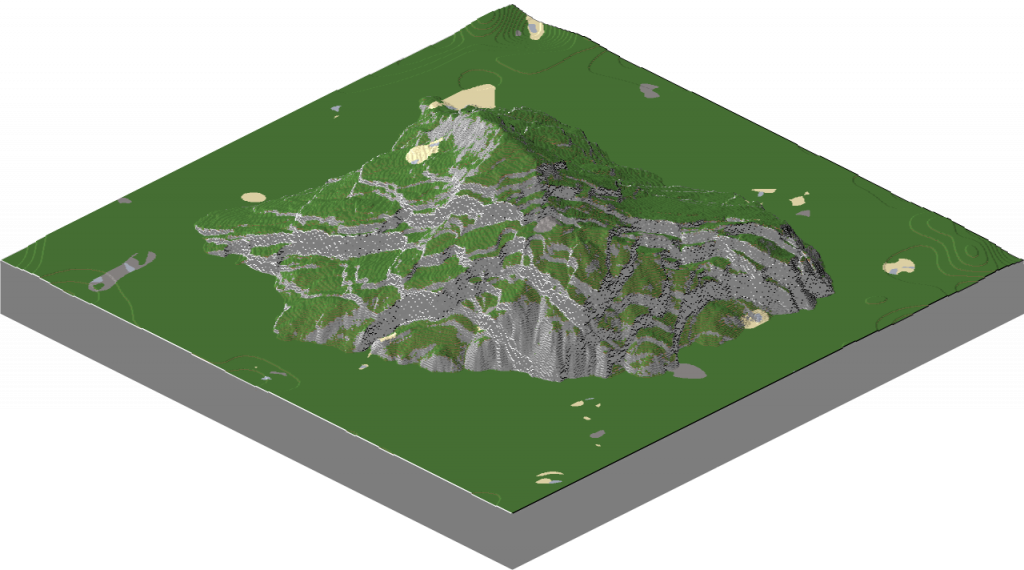
And after importing such a heightmap to worldpainter, it looks like this: Note: i painted the terrain, you import only elevation, nothing else.
Importing as a new world
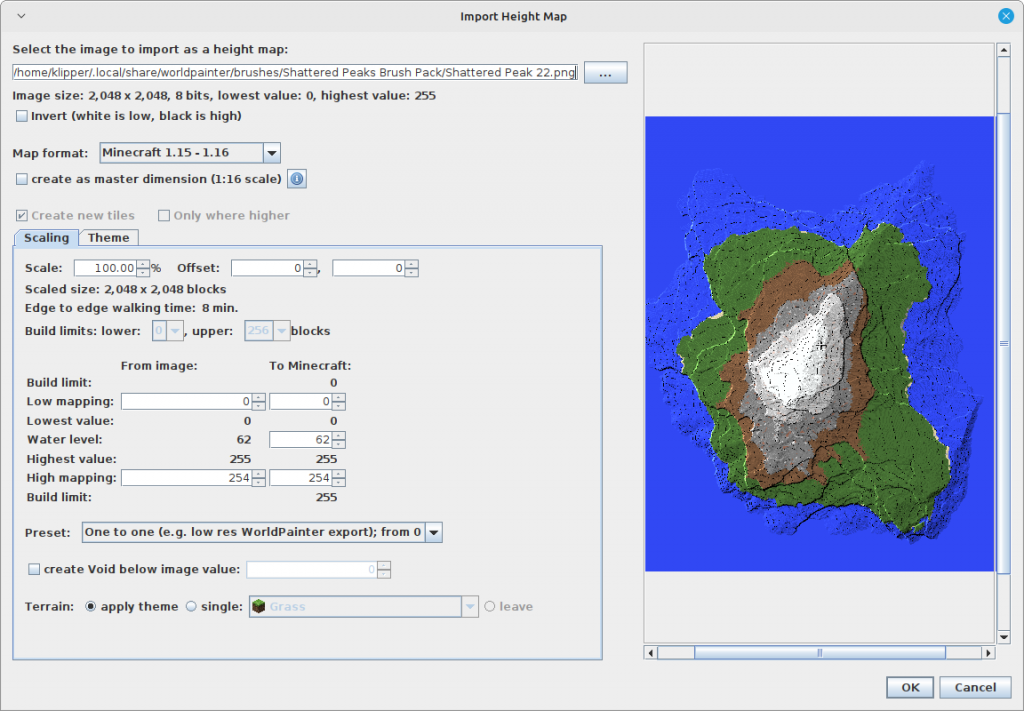
You can import the heightmap by selecting File > Import new world > From heightmap. Then you get an import menu where you can change the horizontal scaling of the map and the vertical scaling. This feature serves to start a new world with an existing heightmap.
Importing into an existing project
If you already have a project with a map and you dont want to start new, but want to import the heightmap of a mountain into the existing project, there is a feature for it as well: Edit > Import > Heightmap The import menu is the same, but it will be added to the existing heightmap and not create a new world. Some artists claim that importing a heightmap is the better process than using brushes, because brushes sometimes cause “banding” where steps along an elevation line appear. In my opinion, the import heightmap feature is very clunky and you are better off using brushes.
Technical background
Grayscale images for heightmaps are not only a worldpainter thing, but are used in other software as well. A.png image uses lossless compression and saves each pixel with its color dinto file, where the color is a list of numbers for each color channel, usually 3 or 4 numbers for RGB or RBGA. JPEGs for comparison use compression that produces smaller files, but will also loose information, colors might change slightly and over time the image quality degrades. Worldpainter reads the color of the pixel and derives the height from it. Im not 100% sure what worldpainter does, but usually you take red-channel from the RGB (red green blue) color and get a number between 0 and 255 for 8-bit-per-channel PNG files. then you use that as your height value. 16 bit channels allow 0 to 65536 values, so if your mountain is higher than 255m, use 16 bit, otherwise you will get banding or other artifacts. PNG images support many different color-export-settings: 8-bit-per-channel RGB, 8bpc-GRAY, 16bpc-rgb and more. You want to use 8bpc RGB or 16bit per channel RGB. Im fairly sure worldpainter can handle other formats as well, but i cant guarantee it.
“The image should be 8-bit or 16-bit grey scale with no alpha channel for optimum results.” – from the worldpainter website
If your grayscale image is NOT compatible with worldpainter, you can use GIMP or Photoshop (or maybe even paint) to transform it: Import the image to GIMP, then export as a PNG with 8 bpc RGB or 16 bpc RGB
Follow me as i import my survival world into worldpainter and edit the forest on a large scale to improve how it looks, then export back into the existing world. A basic tutorial for import/merge/export in worldpainter.
Details
I recently took a dive back into minecraft survival. I play on a locally hosted paper-server with minecraft 1.19.3 and my favorite plugin of all time: Extra-Hard-Mode. It makes survival a lot more interesting, resources more scarce and mobs a LOT more dangerous. Anyways, i played a week of survival and then decided i didn’t like the boring procedural minecraft terrain anymore.
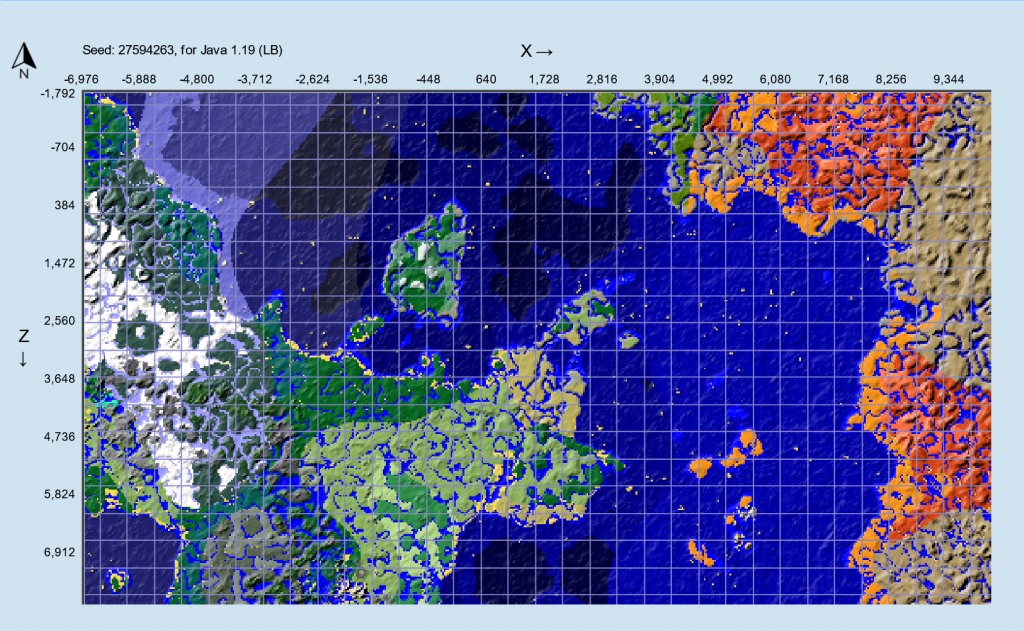
There is a major problem: Every hill and every forest looks the same. You can explore the world in 2 days with a boat, after you have seen all biomes once, every new chunk looks similar to something you have seen before.
And the terrain looks bland. There are no surface spots where you go “damn its beautiful here”. No hidden lakes in a magical forest, no glittering mountain peaks in the distance or enourmous waterfalls.
This needs to be fixed. How? Worldpainter.
The plan is to edit existing terrain, leaving man-made chunks untouched and merge back into the existing world. I haven’t done this before, but im sure we can figure it out. This post acts more like a diary than a tutorial, because im to lazy to explain how to set up a paper server etc.
Preparation
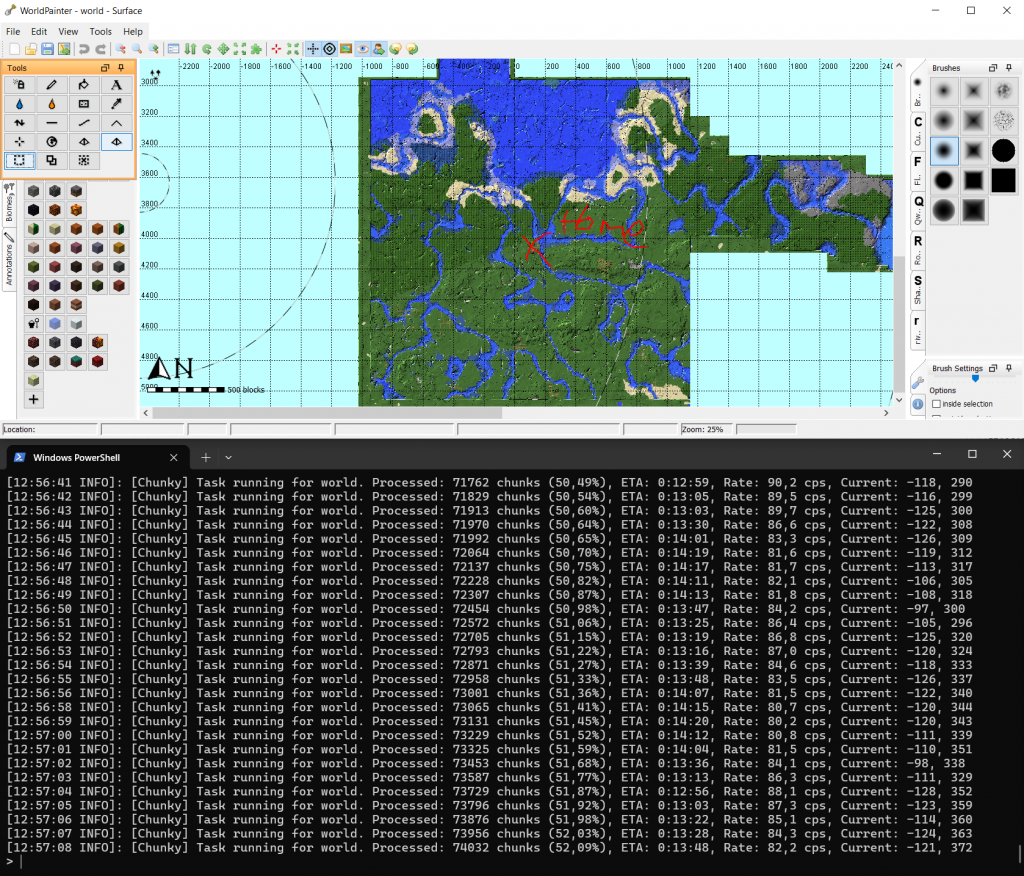
I know from experience that its not easy to seamlessly merge your own landscape into existing vanilla chunks. So the first step is to generate vanilla terrrain in a large square around my home, which i will then edit. It acts like a painting canvas and ensures we dont mess up transitions between edited and vanilla landscape. For that I use the chunky-plugin (which also exists as a forge mod) with a radius of 3000 m around my home, so a square of 6 x 6 km.
And after waiting a bit, I get this:
[13:09:42 INFO]: [Chunky] Task finished for world. Processed: 142129 chunks (100,00%), Total time: 0:22:27
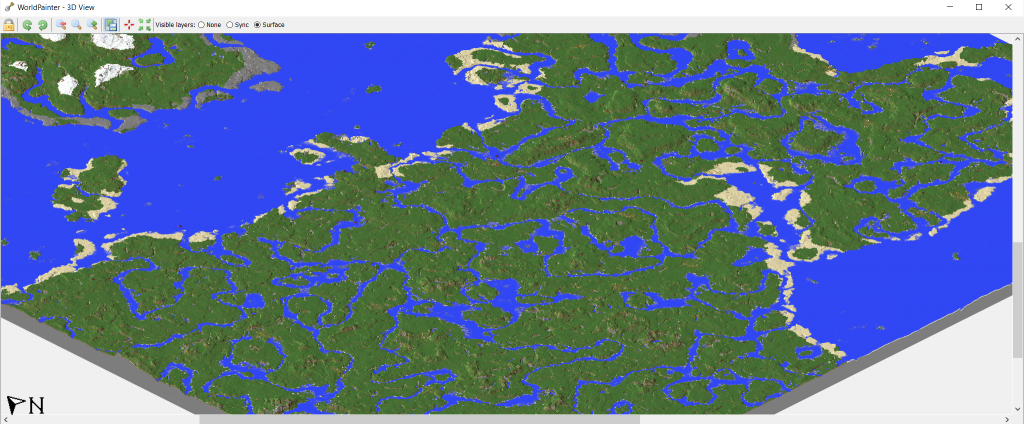
6 square kilometers of vanilla terrain generated around my home base. After finishing the generation, this is our 6x6k “canvas” world which we will edit:
Im surprised how good the vanilla rivers look from afar in the birds perspective. They still look pretty bland from survival, just shows how birdseye-perspective and survival are two pair of shoes. (and so are beautiful raytraced renders and survival 😀 )
Forests
Lets give my forests a make over.
Two things about vanilla forests bug me a lot: – The trees are tiny and look more like an apple garden – The ground is similar to plains, thats not what a forest looks like When im thinking about a forest, i think more of tall trees, closed canopy, shadowy light and rotting leafs on the ground. At least thats what Arte tells me wild forests in Poland and Slovenia look like.
So lets make a layer in worldpainter that looks like that. For that i make a new default worldpainter world, i create the layer there, save it to files and afterwards import it into my server-world project.
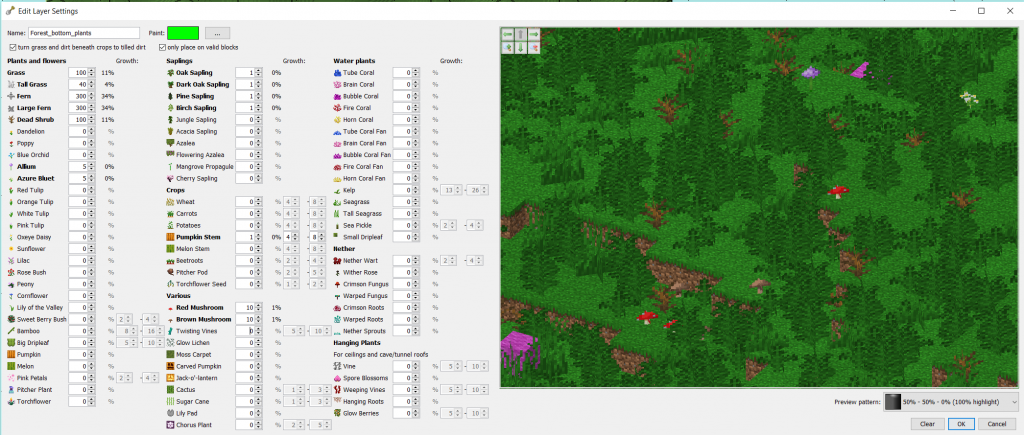
First some plants which i expect to find on the ground in a forest. The values are only based on what i visually like in the preview. Mostly i want ferns, some mushrooms and then some sprinkeled extras like pumpkin and flowers.
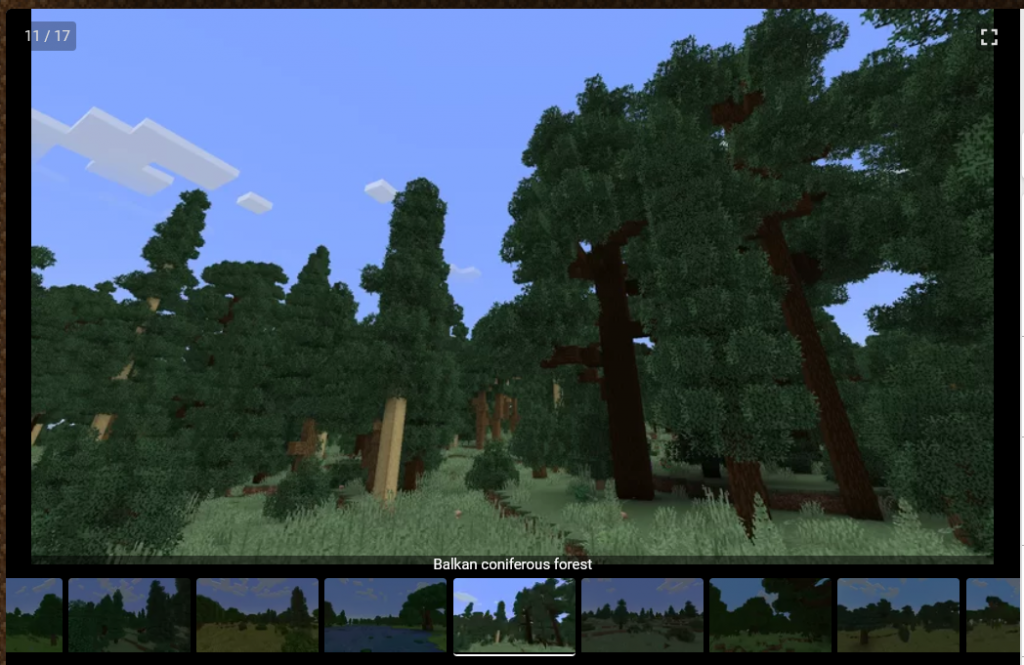
Now lets get some trees up. As always for trees, i look to the artist i trust with trees, Paleozoey. I find a treepack created by her on the discord with european forest trees and download it: https://www.planetminecraft.com/project/trees-of-europe-survival-friendly-schematic-pack-for-worldpainter-etc/ The pack even comes with premade .layer files we can import, which saves us the hassle to figure out which trees go into a “balkan coniferous forest”.
I like the looks of the balkan forest from her showcase, so i use that layer
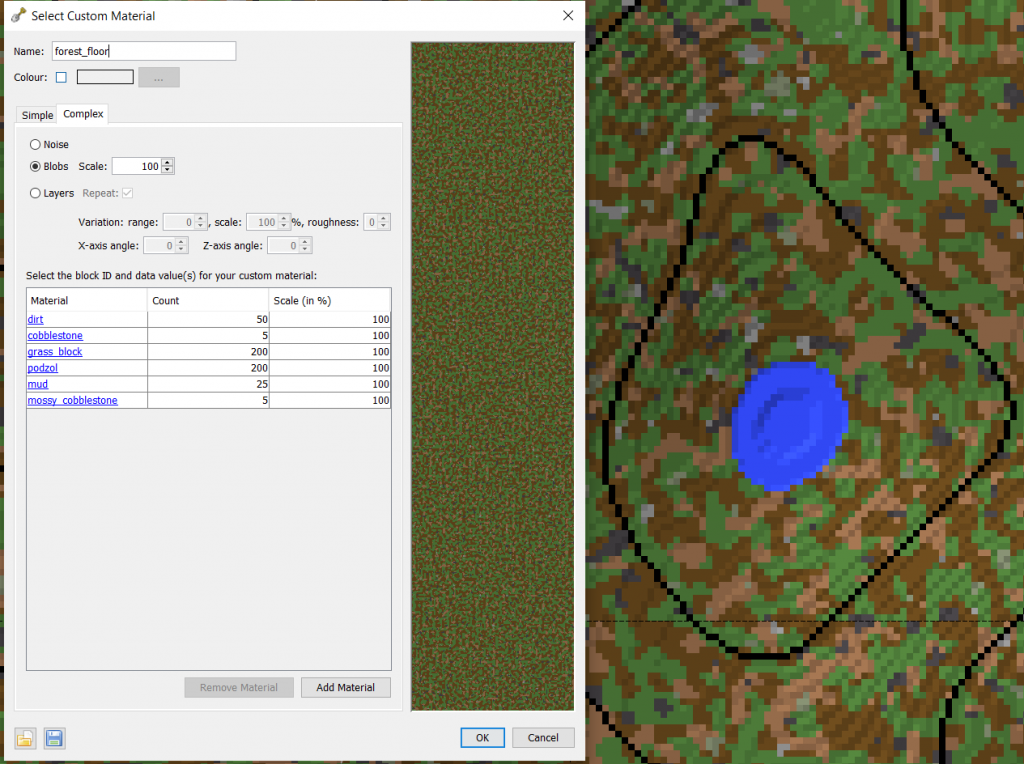
And finally, the forest floor terrain. I want it to be darker than grass, so a mix of grass, mud, some stone maybe.
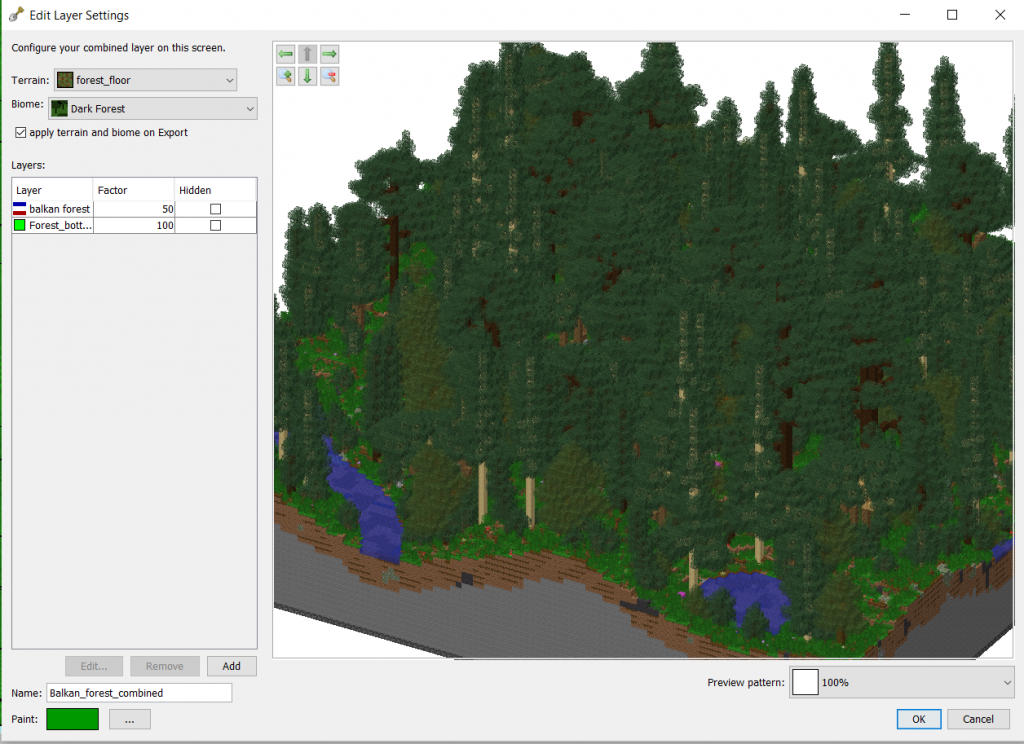
And now combine all three into a combined layer we can easily reuse.
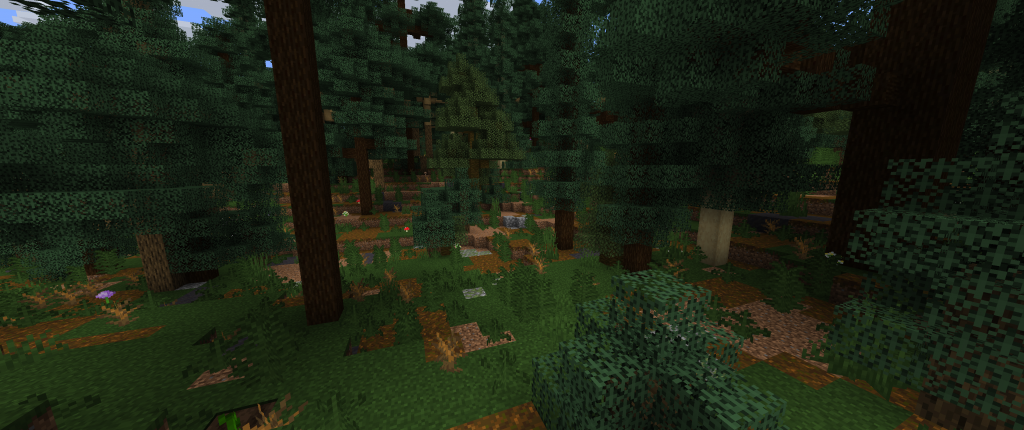
Looks pretty nice already, and a lot better than vanilla oak forest:
Lets do a first test export and see how it looks ingame. Fast forward 3 hours and finally i have the layer looking like i want it to: – interesting plants at the bottom – non bland floor – sparse enough so horseback travel is possible – dense enough to feel like a shaded forest
I have split the trees into tall and small, so i can more easily control how much “high canpoy” and “annoying tiny christmas trees that block way and sight” i get.
I messed up a bulk operation and set my trees to 100% random y variation, which caused them to sink into the ground randomly. Took me quite some time to figure this out. A good method was to set up each separate layer to look correctly in preview, then do a test export with just this layer at 100%. After all layers are checked, do a combined layer export and make sure the export order for the layers is correct. For me its boulders -> large tree -> small tree -> bottom plants
Exporting and merging
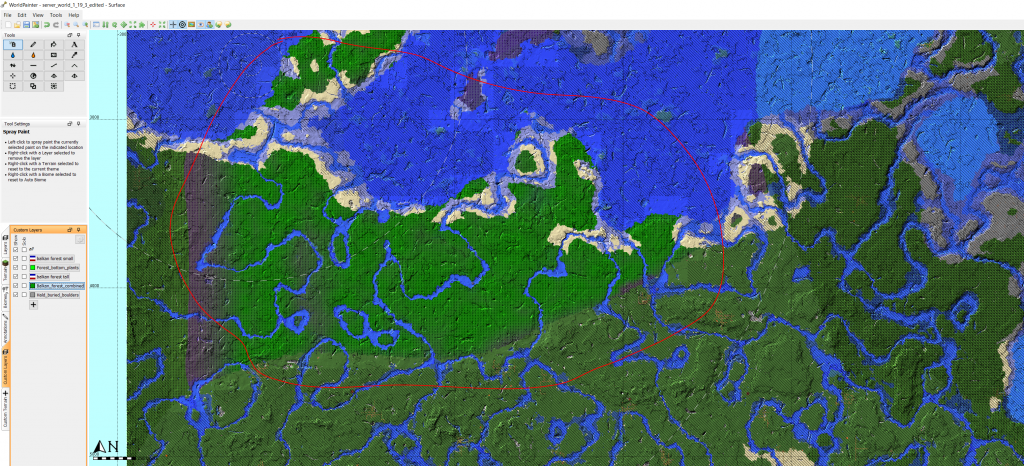
I have spray painted the new forest layer into my imported worldpainter map, everywhere where “biome is forest”. Then i paint “readonly” on all chunks EXCEPT where the new forest is. That ensures that only exactly the “edited” chunks are exported.
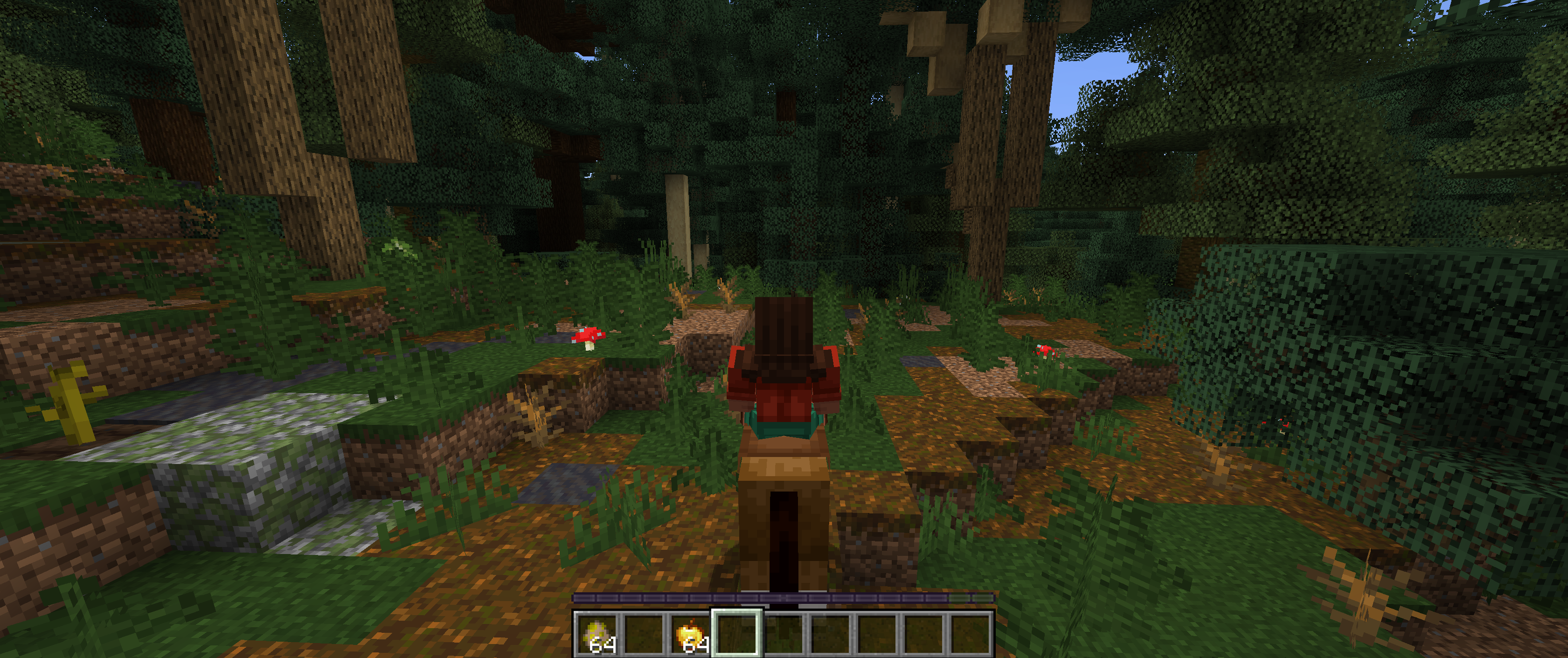
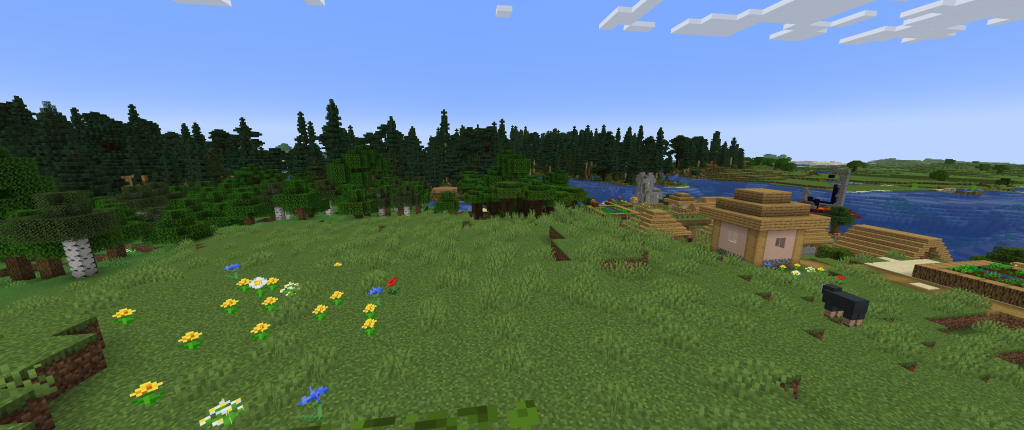
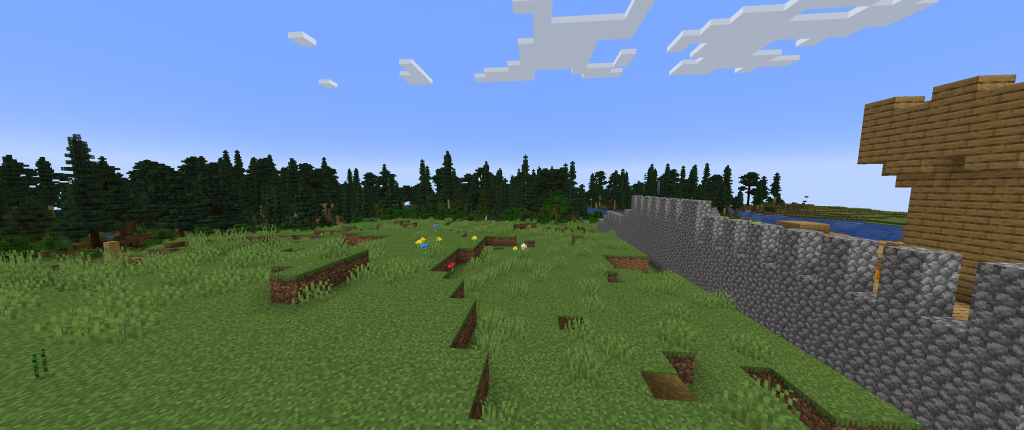
Lets do a first export into the world as we know it. I choose “test export” and mark only the tiles where my homebase is. This creates a new minecraft map with the same seed as the imported and it will have at start only our exported forest tiles. When we load into the world, minecraft will generate the rest of the world around us based on the seed. So we will see a new world with our forest in it. The village is my homebase in the serverworld, where i have built a fortess. We can see the new forest smoothly blending into the terrain.
Lets to a proper merge into a serverworld. I have backed up my world at the very start before doing anything else, rumour has it that merging is not stable or encouraged.
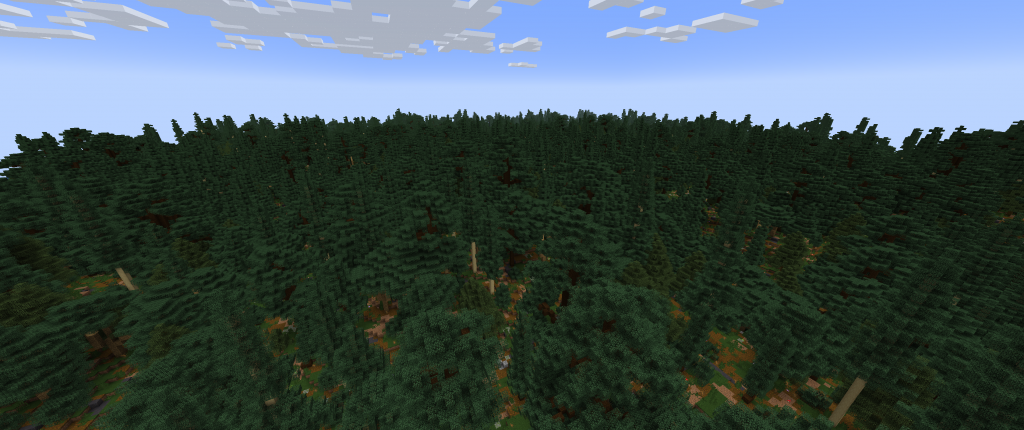
And this is what it looks like after the merge. I have not found artifacts where the chunks merge, the transition is invisible so far. What i did notice, is that my “cave 50%” layer is to much, there is a lot of small spaghetti caves in the forest.
But thats fine to me, extra hard mode is extremly cave-exploration focussed so im fine with more being generated in the forest.
Anyways, this is it for my first step: Forests. Next time, ill do mountains.
You don’t (generally): WorldPainter is a tool for creating maps from scratch. It only cares about terrain and will destroy man-made structures in chunks where terrain is touched. Technically it is possible, but it is not recommended or supported. The exception is to transform terrain far outside of your build areas, and export with read-only […]
Details
You don’t (generally): WorldPainter is a tool for creating maps from scratch. It only cares about terrain and will destroy man-made structures in chunks where terrain is touched. Technically it is possible, but it is not recommended or supported.
The exception is to transform terrain far outside of your build areas, and export with read-only layer over the build areas. This method will require import/exporting to the exact same minecraft version and possible leave a visible seam along the transition line. Its only recommended for very experienced worldpainters.